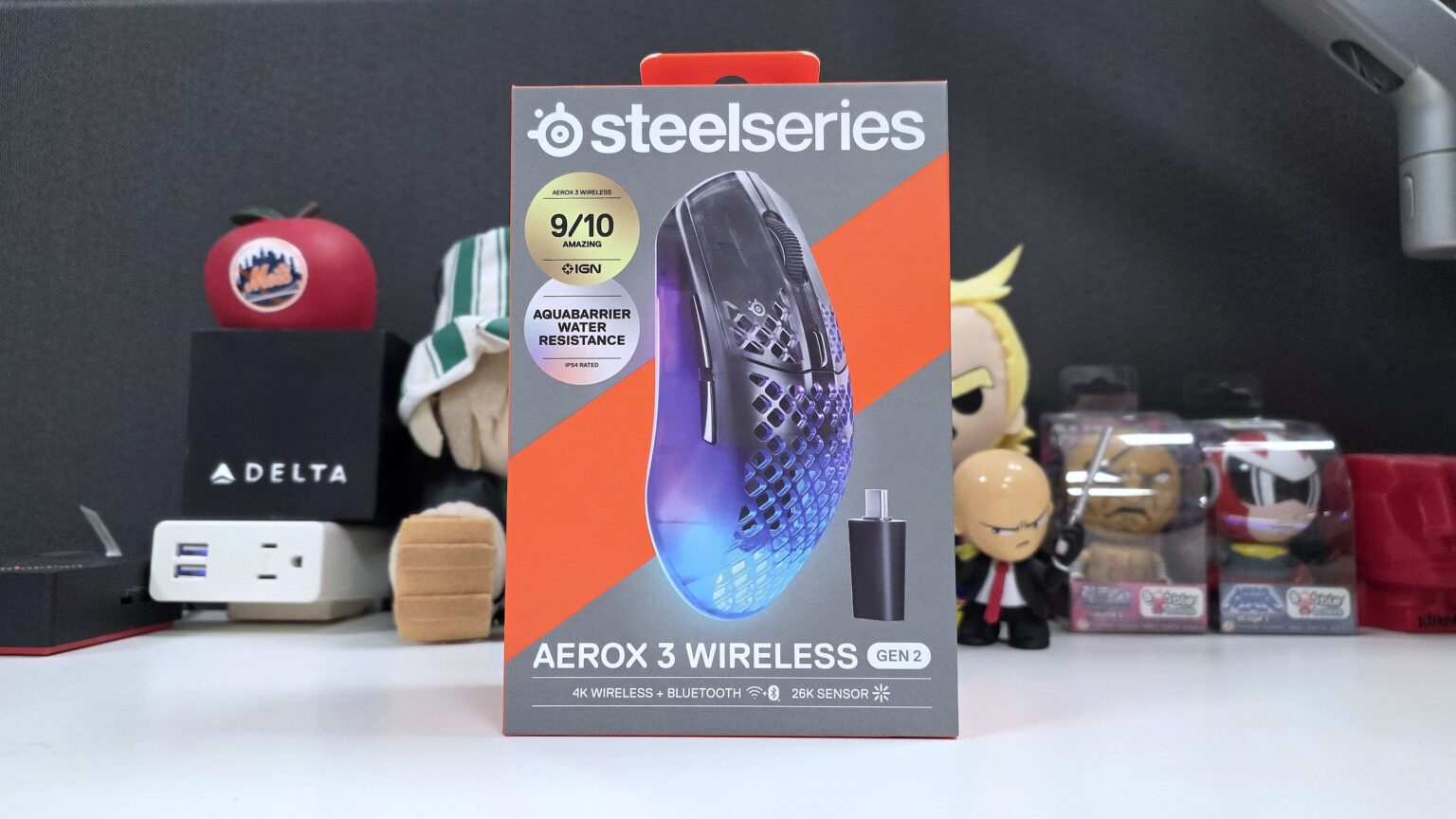
Today, SteelSeries unveiled their latest introduction into their family of ultralight Aerox gaming mice, the SteelSeries Aerox 3 Wireless Gen 2. Coming in with a weight of only 68g, this mouse sports a 4K Hz polling rate, a 1.2 ms click response time, and a TrueMove 26K optical sensor. However, despite its weight, this mouse is built to last with its 80-million click lifespan, a battery life of up to 200 hours and AquaBarrier technology. Topping these features off are its customizable RGB lighting and full customizability through the SteelSeries GG software.
Want to know what kind of features and performance this $109.99 mouse brings to the table? Let’s dive right in.
SteelSeries Aerox 3 Wireless Gen 2 Specs
| Sensor | TrueMove optical sensor |
| Sensitivity | 26,000 DPI |
| Maximum Speed | 400 IPS |
| Maximum Acceleration | 40G |
| Lift Off Distance | 1mm/2mm |
| Wireless Polling Rate | Up to 4000 Hz / 0.25ms |
| Wired Polling Rate | Up to 1000 Hz |
| Weight | 68g |
| Dimensions | 121 x 67 x 38mm |
| Width | 57.91mm / 2.28 inches (front), 67.03mm / 2.64 inches (back) |
| Height | 21.53mm / 0.85 inches (front), 37.98mm / 1.50 inches (back) |
| Connection | 2.4GHz / Bluetooth 5.0 / Wired |
| Battery Life | Up to 120 hours 2.4GHz @ 1K Polling, Up to 35 hours 2.4GHz @ 1K Polling, Up to 200 hours Bluetooth |


The Aerox 3 Wireless Gen 2 comes in Shadow, Ghost, and Magenta Haze color options. A purchase of a SteelSeries Aerox 3 Wireless Gen 2 mouse comes with a USB Type-C wireless dongle, a USB C to USB A charging cable, and an extension adapter.
Build, Features, and Feel


The SteelSeries Aerox 3 Wireless Gen 2 is a right-handed 6-button mouse. You have left and right clicks, a scroll wheel for Mouse 3, a DPI toggle button, and thumb side buttons Mouse 4 and Mouse 5. On the bottom you have a power switch that also toggles the mouse between Bluetooth and Quantum 4K Wireless connectivity with the included USB-C dongle.


SteelSeries’ “holey shell” mouse design reduces the mouse’s total weight by about 18g. Despite that, the shell remains durable, protecting the 68g ultra lightweight product against drop damage. However, the damage protection does not stop there. The Aerox 3 Wireless Gen 2’s AquaBarrier protection provides the exposed internals with an IP54 rating of protection against water, dust and debris.
The Aerox 3 Wireless Gen 2 is powered by SteelSeries’ Quantum 4K Wireless technology when using it with the wireless USB-C dongle. The driving point of this 2.4GHz wireless technology is its ultra-low latency backed by packet loss protection. This technology allows the Aerox 3 Wireless Gen 2 to transmit on two wireless channels simultaneously across 40 frequencies. When one channel is disrupted by wireless interference, the other seamlessly compensates, ensuring that not even a single packet is dropped. Best of all, Quantum 4K Wireless is designed to minimize energy consumption more than ever before, contributing to the Aerox 3 Wireless Gen 2’s impressive 200-hour maximum battery lifespan.
Moving onto performance components, the Aerox 3 Wireless Gen 2 uses the TrueMove 26K Optical Sensor. The TrueMove 26K sensor tracks at a maximum 26,000 DPI at a maximum speed of 400 IPS, with a maximum acceleration of 40G. The mouse’s mechanical switches are low latency and are rated for an 80 million click lifespan. On the bottom, you have 100% virgin grade PTFE glide skates, allowing for the smoothest and least resistant of mouse swipes and movements. This ease of handling is also consistent when using the Aerox 3 Wireless Gen 2 in wired mode. This is thanks to the included wiring, which is a flexible and lightweight super mesh USB-C cable.

The Aerox 3 Wireless Gen 2’s build is quite impressive. Here you have a sturdy and reinforced body that is both ultra-lightweight and easy on the eyes. This mouse design uses a semi-transparent body that highlights the mouse’s lighting both through its holes and its body. Lighting shines brightly and beautifully through the Aerox 3 Wireless Gen 2 whenever the mouse is not in movement. Whenever movement is detected, the LED’s temporarily stop shining, both saving battery power and reducing any potential distraction that the LED’s may cause. This is courtesy of the mouse’s Illumination Smart Mode feature, which is on by default but can be toggled off via the SteelSeries Engine.
As far as feel goes, the mouse is indeed ultra-lightweight. Optimized for both claw and finger grips, I found myself most comfortably employing a finger grip when handling this mouse. Swipes felt clean and smooth, with the mouse itself being easy to lift and reposition without any effort whatsoever. The Aerox 3 Wireless Gen 2’s matte finish allowed me to easily maintain my grip on the mouse with my thumb and pinky. Not to mention, button placement is spot on, with the mouse wheel, DPI toggle, and thumb side buttons all being easy to manage and reach for.
All in all, the SteelSeries Aerox 3 Wireless Gen 2 sports an impressive build that is solid and sleek while being as lightweight as the box advertises.
More Features and Performance

The SteelSeries Aerox 3 Wireless Gen 2 is customizable via the SteelSeries Engine found in the free SteelSeries GG app. Through the SteelSeries Engine, you can customize all of the mouse’s button behaviors, control RBG lighting effects, save behavior profiles, and set those profiles to automatically trigger when specified apps have focus. Going further, the SteelSeries Engine allows you to fine tune the mouse’s angle snapping, sleep timer, illumination dim timer, acceleration, deceleration, polling rate as well as toggling High-efficiency mode and Illumination Smart Mode.


The DPI Toggle button can toggle between as many DPI levels as you prefer, which is also customizable via the SteelSeries Engine. You can also determine the specific DPI setting for each of those levels. You can even opt to repurpose the DPI button altogether to a function that you prefer.
Furthermore, you can also create macros by using the record feature to capture your keystrokes. You can then double back to fine tune keypress and release timings to match your preferences or needs. Then, it is as simple as assigning the macro to the key of your choice.
Using the SteelSeries Engine to manage the Aerox 3 Wireless Gen 2 was more than easy. The configuration controls are quite straightforward and easy to employ. If you are new to the more nuanced settings of gaming mice, each setting has a (?) tooltip you can click on to get a description on what exactly that setting controls. This makes the software welcoming for both expert and novice gaming peripheral users alike.
SteelSeries GG also has 3D Aim Trainer available to both assist with your aim training and sensitivity settings. Within 3D Aim Trainer you can select your game of choice and launch the Sensitivity Finder. Here, AI will judge you as you hit targets with the app changing your sensitivity round after round. After you are done, it will then suggest the value for you to input in your game’s mouse sensitivity field based on how you performed using the DPI settings you took the test in.


The Aerox 3 Wireless Gen 2 handled very well during all of my Apex Legend sessions, whether it be in Battle Royale or the Mixtape playlist. The mouse allowed for sharp and accurate shots. Whether I was picking people off from a distance with the Sentinel or keeping rushers at bay with dual P2020’s, this mouse helped me get the job done. Despite being a mouse that is much lighter than that of my personal tastes, the Aerox 3 Wireless Gen 2 felt right at home in my hands.


The battery life on the Aerox 3 Wireless Gen 2 is also very impressive. During my time with this mouse, max battery life while using Quantum 4K Wireless connectivity was closer to 80 hours, while being closer to that 200-hour point when the mouse was in Bluetooth mode. While I spent a good amount of time enjoying the mouse’s 4K polling rates, I mostly played with the mouse at 2K polling. In the end, I found that this led to a nice blend of performance and battery life longevity.
I found myself using both wireless connectivity types often, where Bluetooth was for work and Quantum 4K Wireless was for play. I would be able to use the Aerox 3 Wireless for around two to three days before the mouse complained about low battery. This was not bad considering that I usually had the LED’s on the brightest setting.
Nevertheless, I was not disappointed with the level of performance and the robust feature set of the SteelSeries Aerox 3 Wireless Gen 2.
Final Thoughts

I was pleasantly surprised by the SteelSeries Aerox 3 Wireless Gen 2 from the moment I opened the box. I held in my hand one of the lightest, if not the lightest, gaming mice I have used to date. It sports an impressive design that combines practicality, build integrity, and attractiveness. I then put the Aerox 3 Wireless Gen 2 into action and was treated to comfortable handling and accurate precision throughout seemingly endless hours of wireless usage.
At $109.99, the SteelSeries Aerox 3 Wireless Gen 2 is at a solid price point for a gaming mouse with this level of performance and features, whether it was wired or wireless. Do check out the Aerox 3 Wireless Gen 2 gaming mouse for yourself by clicking here.

† We were provided with a SteelSeries Aerox 3 Wireless Gen 2 gaming mouse for review purposes and were not compensated for this review.